

Overview
This article delves into the mastery of the Excel formula for average, highlighting its critical role for finance professionals in the analysis of data, including sales figures and investment returns. It emphasizes best practices for ensuring accurate calculations, such as the exclusion of outliers and the necessity of regular data updates. Furthermore, the article introduces Excel shortcuts that significantly enhance efficiency in utilizing the average formula. By doing so, it empowers finance professionals to make informed and effective decisions in their financial contexts.
Introduction
In the intricate world of finance, where data-driven decisions reign supreme, accurately calculating averages is crucial for influencing outcomes. The Excel formula for average serves as a cornerstone for financial analysis, empowering professionals to extract meaningful insights from complex datasets. However, as reliance on this fundamental tool increases, so does the risk of misinterpretation due to outliers and inconsistent data ranges.
How can finance experts master the AVERAGE formula to ensure their analyses remain precise and impactful?
Understand the AVERAGE Formula in Financial Context
The excel formula for average in Excel and Google Sheets is a fundamental tool for calculating the arithmetic mean of a specified range of numbers, making it indispensable in finance. This function proves particularly useful for , such as sales figures, expenses, or investment returns. For instance, to calculate the average sales over a quarter, one would use the excel formula for average =AVERAGE(B2:B10), where the range B2 to B10 encompasses the pertinent sales information. Mastering the excel formula for average empowers financial experts to extract valuable insights from their data, which facilitates enhanced forecasting and budgeting decisions.
Practical applications of mean calculation abound in finance. A financial analyst, for example, might use an excel formula for average to compute the return on investment over several years to assess performance trends. Furthermore, the AVERAGEIF formula can be utilized to determine averages based on specific criteria, such as calculating the average sales of products currently in stock, expressed as =AVERAGEIF(C1:C20,'available',B1:B20).
However, it is crucial to recognize the limitations of the mean calculation, particularly its sensitivity to anomalies. A single extreme value can distort the average, leading to potentially misleading conclusions. Therefore, financial experts should complement the MEAN calculation with additional statistical metrics, such as median or trimmed mean, to ensure a more accurate representation of their information.
In today’s fast-paced financial landscape, where data-driven decisions are paramount, understanding how to effectively utilize the mean calculation is essential. Recent trends indicate that financial experts increasingly rely on this capability to analyze multi-frequency information, enhancing their ability to make informed choices based on current market conditions.

Implement Best Practices for Accurate AVERAGE Calculations
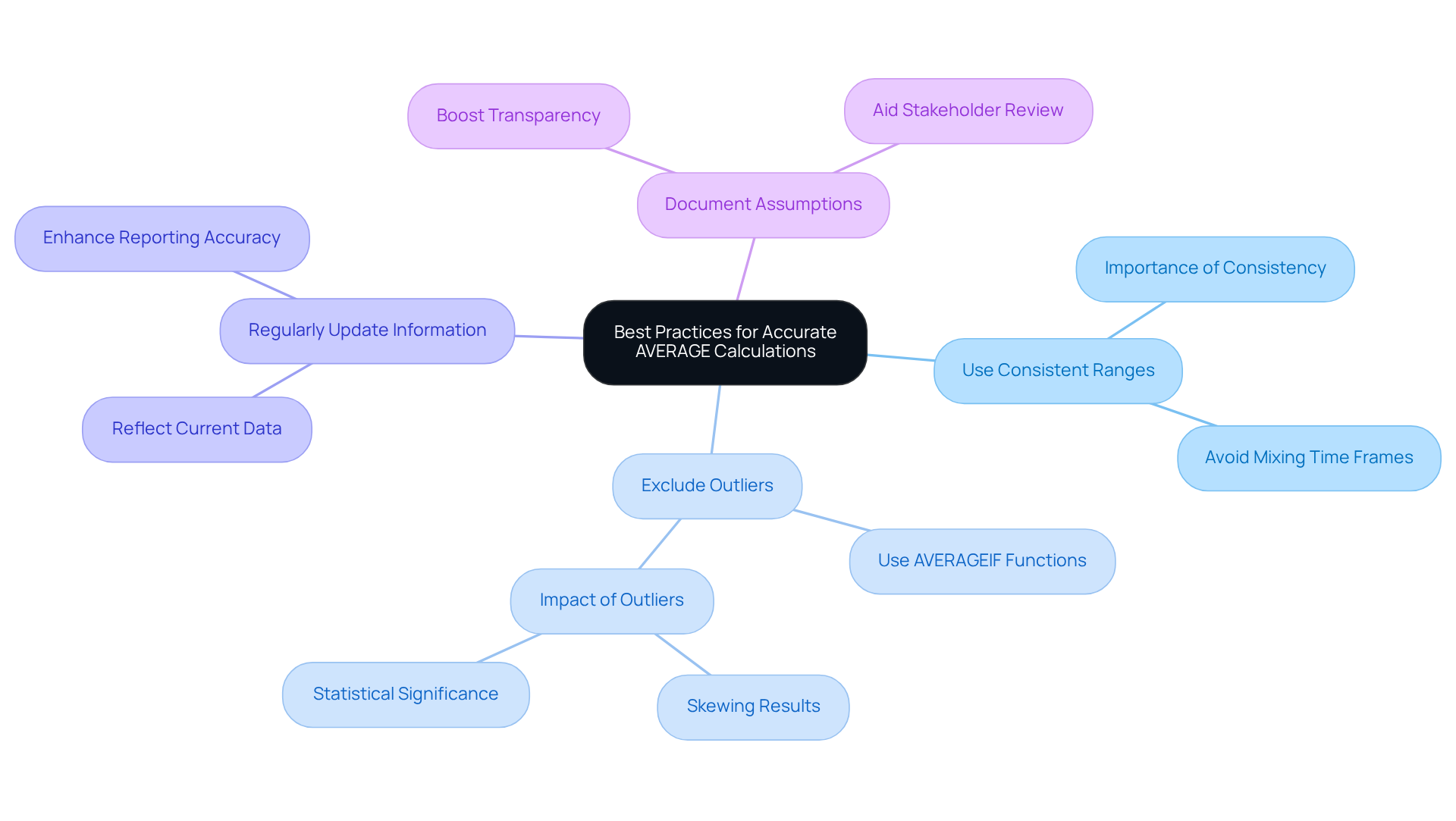
To achieve precise AVERAGE calculations, finance professionals must adhere to best practices that enhance accuracy and reliability:
- Use Consistent Ranges: It is crucial to ensure that the range used in the AVERAGE calculation remains consistent and relevant to the analysis. Combining different time frames, such as monthly and quarterly figures, can lead to misleading results.
- Exclude Outliers: Utilize the AVERAGEIF or AVERAGEIFS functions to filter out outliers that may skew your findings. For example, applying
=AVERAGEIF(B2:B10, "<1000")calculates the average of values below 1000, providing a more accurate representation of typical performance. Statistics reveal that , making their exclusion essential for trustworthy analysis. As financial analyst Paige McLaughlin states, "The final average number reflects the relative importance of each observation and is thus more descriptive than a simple average." - Regularly Update Information: Financial figures are often subject to change. Regularly updating the range in your calculations ensures that your averages, calculated with an excel formula for average, reflect the most current data, thereby enhancing the precision of your financial reporting.
- Document Assumptions: It is important to clearly document any assumptions made during calculations, such as the exclusion of specific data points. This practice not only boosts transparency but also aids in better review and analysis by stakeholders, ensuring that all parties comprehend the rationale behind the calculations.
By implementing these practices, financial experts can significantly improve the reliability of their mean calculations, leading to more informed decision-making.
Leverage Excel Shortcuts to Enhance AVERAGE Formula Efficiency
To maximize efficiency when using the excel formula for average, finance professionals can leverage several Excel shortcuts through the for Google Sheets.
AutoSum Shortcut: Press Alt + = to quickly insert the MEAN calculation for a chosen range. This shortcut automatically suggests the range based on adjacent data, significantly speeding up the process.
Insert Function: Use Shift + F3 to open the Insert Function dialog, allowing users to search for the mean calculation and comprehend its syntax without leaving the keyboard.
Copying Formulas: Utilize Ctrl + C to copy the AVERAGE formula and Ctrl + V to paste it into adjacent cells, with Google Sheets adjusting the range automatically. This technique is particularly effective for using an excel formula for average when calculating averages across multiple datasets.
Navigating with Keyboard: Familiarize yourself with navigation shortcuts such as Ctrl + Arrow Keys to swiftly move through ranges, facilitating the selection of appropriate cells for averaging.
To access shortcut tips directly within Google Sheets, simply hit the ALT key (or Option on Mac) to display key-tips in the corner of your screen, allowing for a seamless integration of these shortcuts into your workflow.
By integrating ShortieCuts, financial experts can enhance their productivity with over 300 Excel-style shortcuts available for Google Sheets. Mastering these shortcuts can save time by accelerating data entry, calculations, and formatting, which is essential for professionals who frequently handle large datasets and complex formulas, such as the excel formula for average. As professional Shruti M. observes, "The shortcut to redo the last action in Google Sheets is Ctrl+Y," emphasizing the practical advantages of utilizing shortcuts. Additionally, resources like the [Excel Keyboard Shortcuts Cheat Sheet](https://sheets.market/25-excel-shortcuts) can serve as valuable tools for finance professionals looking to improve their efficiency. With ShortieCuts, users can enjoy a seamless experience while ensuring local data privacy, ultimately leading to better decision-making and enhanced analysis speed and accuracy.

Conclusion
Mastering the AVERAGE formula in Excel is essential for finance professionals aiming to enhance their data analysis capabilities. This fundamental tool not only calculates the arithmetic mean but also empowers analysts to derive actionable insights from financial data, ultimately supporting more informed decision-making. By grasping the nuances of the AVERAGE function and its applications, finance experts can elevate their analytical skills and improve overall performance.
Key practices for accurately calculating averages are crucial, including:
- The importance of using consistent ranges
- Excluding outliers
- Regularly updating data
- Documenting assumptions
Each of these best practices plays a critical role in ensuring that the calculated averages reflect true financial performance, thereby reducing the likelihood of misleading conclusions. Furthermore, the incorporation of Excel shortcuts enhances efficiency, allowing finance professionals to streamline workflows and concentrate on strategic analysis rather than manual calculations.
The effective use of the AVERAGE formula transcends mere calculations; it leverages data to drive strategic decisions in a rapidly evolving financial landscape. By adopting these best practices and utilizing available tools, finance professionals can significantly enhance their analytical precision and contribute to more robust financial reporting. Embracing these techniques not only improves individual performance but also fosters a culture of data-driven decision-making across the organization.
Frequently Asked Questions
What is the AVERAGE formula used for in finance?
The AVERAGE formula is used to calculate the arithmetic mean of a specified range of numbers, making it essential for analyzing important financial data such as sales figures, expenses, or investment returns.
How do you use the AVERAGE formula in Excel or Google Sheets?
To use the AVERAGE formula, you can input it as =AVERAGE(B2:B10), where the range B2 to B10 contains the relevant data you want to average.
Can you provide an example of a practical application of the AVERAGE formula in finance?
A financial analyst might use the AVERAGE formula to compute the return on investment over several years to assess performance trends.
What is the AVERAGEIF formula and how is it used?
The AVERAGEIF formula is used to calculate averages based on specific criteria, such as calculating the average sales of products currently in stock, expressed as =AVERAGEIF(C1:C20,'available',B1:B20).
What are the limitations of using the mean calculation?
The mean calculation is sensitive to anomalies, meaning that a single extreme value can distort the average and lead to misleading conclusions.
What additional statistical metrics should be used alongside the mean calculation for accuracy?
Financial experts should complement the mean calculation with additional metrics such as the median or trimmed mean to provide a more accurate representation of their data.
Why is understanding the mean calculation important in today’s financial landscape?
Understanding the mean calculation is essential for making data-driven decisions, as financial experts increasingly rely on it to analyze multi-frequency information and make informed choices based on current market conditions.